Upgrade the visual quality of professional meetings and creative broadcasts with the latest generation of high-resolution imaging. Transitioning to ultra-high-definition video provides a level of clarity that standard cameras cannot match, ensuring every detail is captured with precision. This guide explores the essential features, hardware considerations, and top-tier models currently leading the market for digital communication.
4K Webcams
Capture every detail with stunning clarity and elevate your video calls to a whole new level
Product List
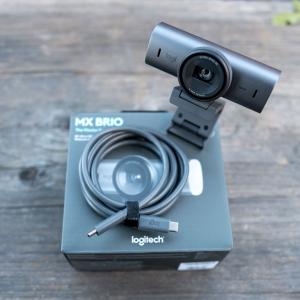
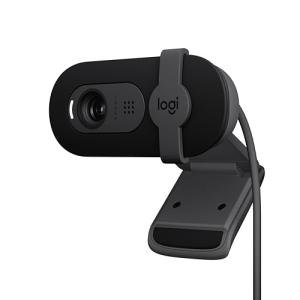
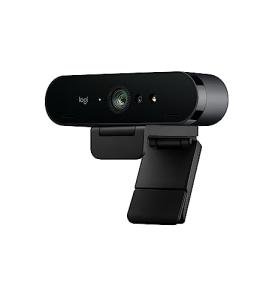
Logitech Brio 1080p Webcam
Logitech
Product Review Score
4.82 out of 5 stars
40 reviews$39.99 $24.99
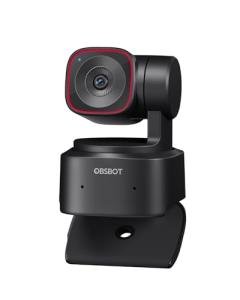
OBSBOT Tiny 2 Lite Webcam
Obsbot
Product Review Score
4.42 out of 5 stars
81 reviews$179.00 $129.00
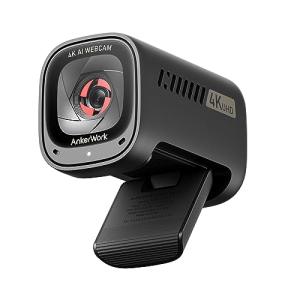
💡 Practical Usage Tips
- Connecting the device to a USB 3.0 port is essential because 4K video data requires higher bandwidth than older ports can provide.
- Adjusting the room lighting to be bright and even will help the camera avoid digital grain and keep the image looking sharp.
- Using a dedicated software suite allows for fine-tuning the Field of View, which helps in cropping out distracting background elements.
- Positioning the camera at eye level creates a more natural perspective during video calls and improves engagement with the audience.
✅ What to Look For & ⚠️ What to Avoid
MUST-HAVES:
- Look for a PDAF (Phase Detection Autofocus) system to ensure the lens locks onto subjects instantly without annoying blurring.
- A large physical sensor, such as the 1/2-inch unit found in the Insta360 Link 2, significantly improves performance when working in dimly lit rooms.
- Integrated privacy covers provide a physical layer of security that guarantees the camera cannot see anything when it is not in use.
RED FLAGS:
- Be cautious of devices that mention "interpolated" resolution, as this often means the 4K quality is digitally stretched rather than being native.
- Avoid cameras that rely solely on USB 2.0 for 4K streaming, as this bottleneck often results in choppy frame rates and heavy compression.
- Cheap plastic mounts can be unstable on modern thin monitors, leading to a shaky video feed if the desk is bumped.
🛡️ Build Quality & Performance
The physical construction of a webcam often dictates its long-term reliability and video stability. Premium models frequently utilize an Aluminum Alloy chassis, which serves a dual purpose: it feels substantial and durable while acting as a passive heatsink. This is particularly important for 4K imaging, as the internal processors generate significant heat during long recording sessions. Units that lack proper thermal management may experience performance drops or even temporary shut-offs to cool down.
Beyond the casing, the quality of the glass lens and the mounting hinge are vital. A high-tension hinge ensures the camera stays put even on slanted display backs. For those moving between different workspaces, the Logitech MX Brio showcases how a metal build and a thoughtful rotating shutter can create a professional feel that matches its high-end video output. Performance is further enhanced by internal microphones that use noise-suppression logic to clear up the audio feed.
🏆 Top Recommendations
| Best For | Model Name | Key Feature | Why It Wins |
|---|---|---|---|
| High-End Streaming | OBSBOT Tiny 2 | 1/1.5" Sensor | Massive sensor provides incredible low-light detail. |
| Business & Security | Logitech Brio 4K | Windows Hello IR | Enables secure biometric facial recognition login. |
| Wide Boardrooms | AOC 4K Webcam | 99° Field of View | Ultra-wide lens captures everyone in the room. |
| Dynamic Movement | Insta360 Link 2 | 2-Axis Gimbal | Mechanically follows the subject as they move around. |
❓ Frequently Asked Questions
Is 4K really necessary for standard video calls?
While many platforms like Zoom compress video, a 4K sensor provides a much cleaner source image and allows for digital zooming without losing significant quality.
What is the difference between PDAF and standard autofocus?
PDAF (Phase Detection Autofocus) is much faster because it calculates the distance to the subject instantly, whereas standard autofocus "hunts" back and forth until the image looks sharp.
Does a 4K webcam require a special computer?
The computer needs a relatively modern processor to handle the high data load, and it must have a USB 3.0 port to support the necessary transfer speeds for 4K resolution.